
How to Edit an Existing Recurring Donation
We believe...
1. After logging in, click on “My Account” in the top right portion of the screen.

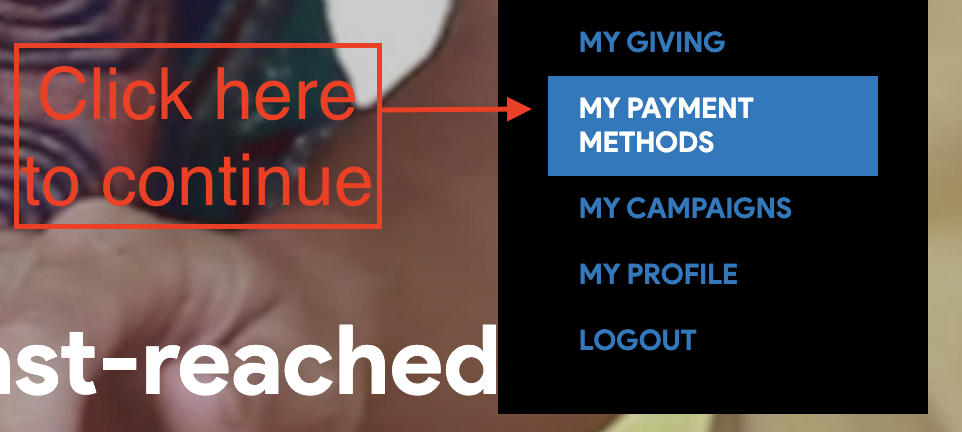
2. When the drop-down menu appears, click on “My Payment Methods” to access your stored information.
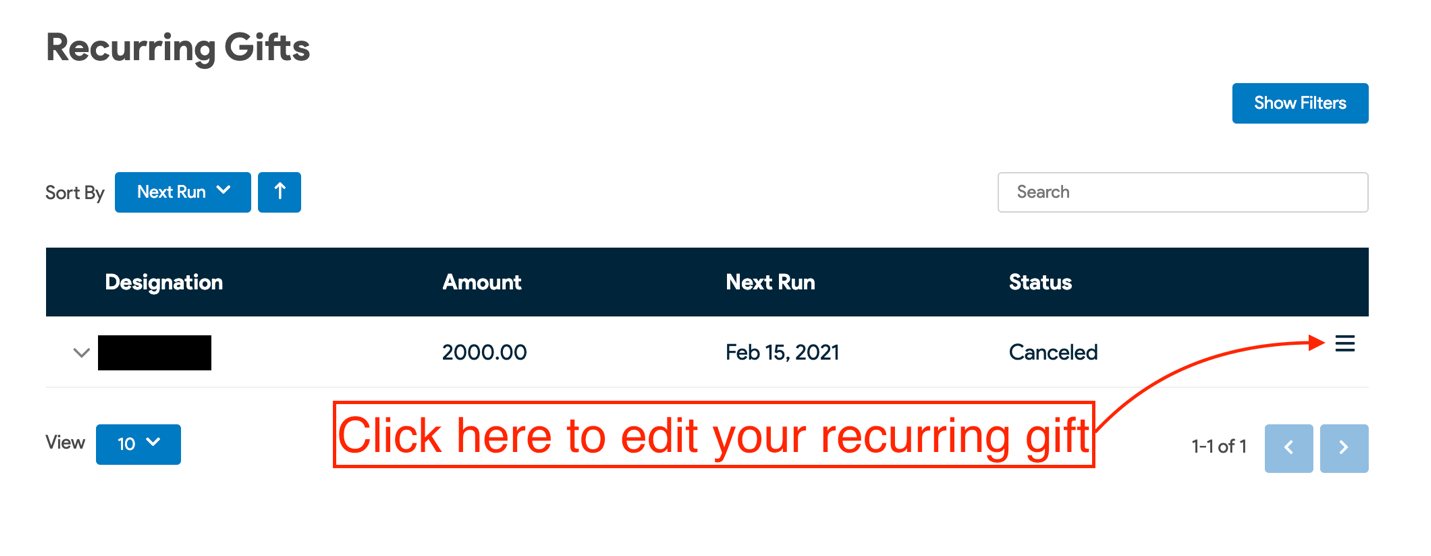
3. After arriving at “My Gifts”, scroll down until you reach “Recurring Gifts”. Then click on the 3 dashes to the right.
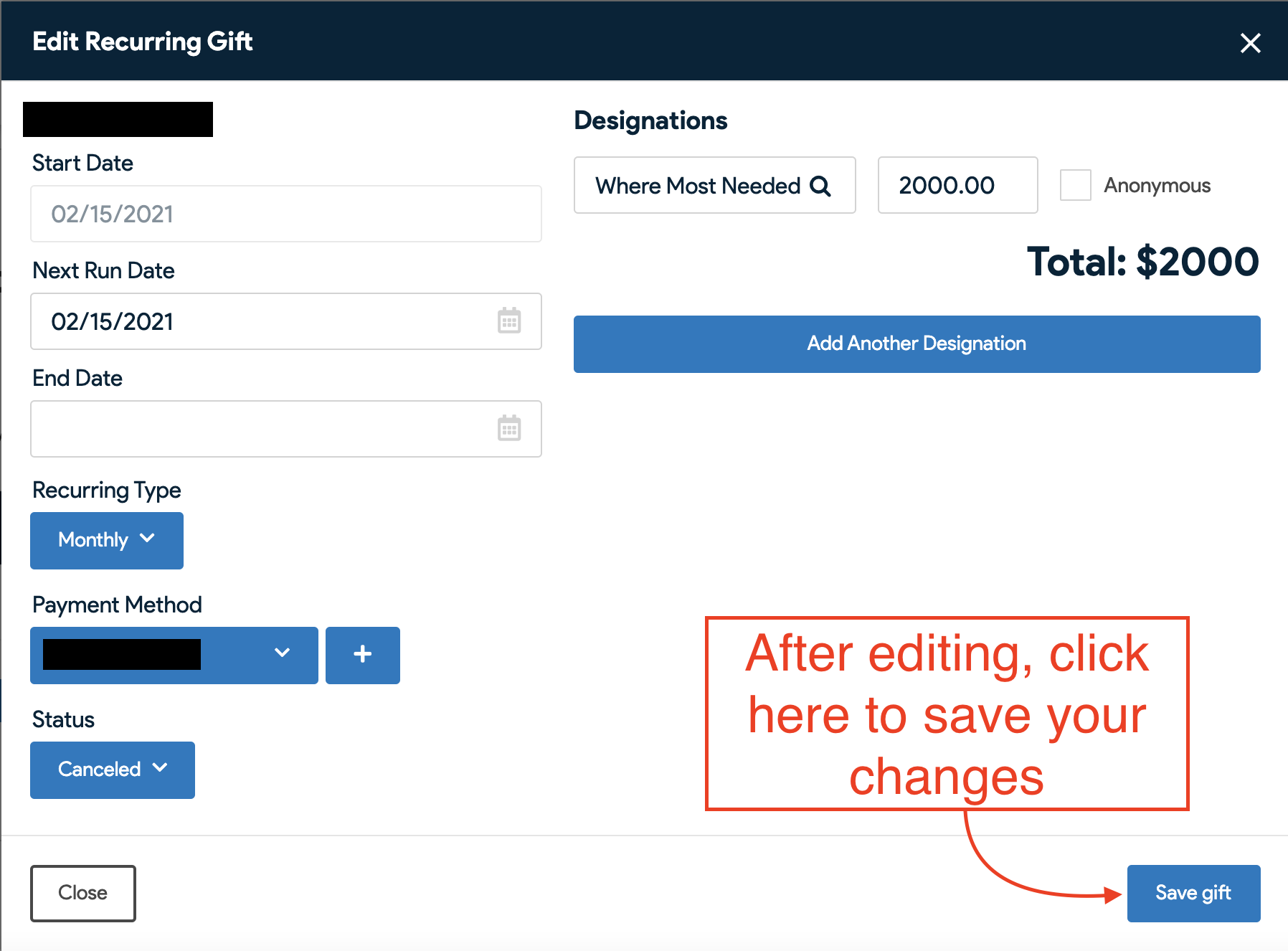
4. After editing the details of your recurring gift, click “Save gift” to save your changes.
Thank you for your ongoing support!
We believe...